Type Elements, Now in Your Browser
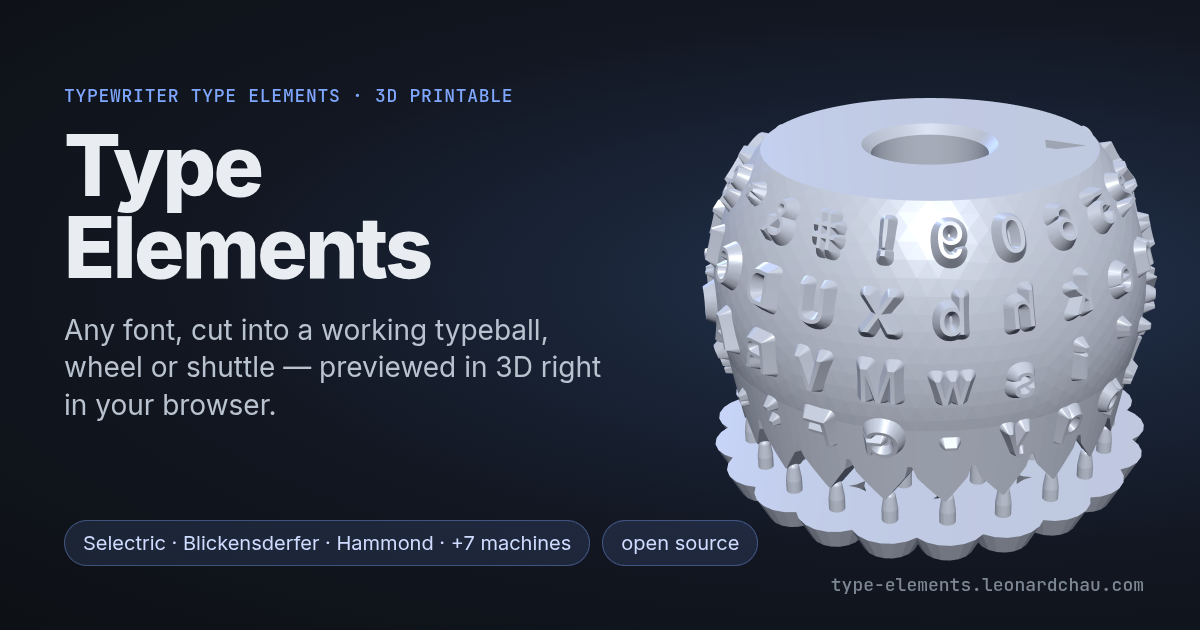
Type Elements makes replacement type elements for antique typewriters: Blickensderfer typewheels, IBM Selectric and Composer typeballs, Hammond shuttles and more, generated from any font and printed in resin. As of this week, the whole thing runs in a web browser:
Why a web app
Until now, making an element meant cloning the repository, setting up a Python environment, and driving a terminal UI (tune.py). That’s fine for me, and it’s a real barrier for most people who need one part: someone with a Blickensderfer and no typewheel, or a Hammond whose shuttle is cracked. The project exists so those machines get used again, and every install step was losing people before they got to a print.
So the goal for v5 was simple to state: open a link, get an element.
What it does
- 10 machines plus the type slugs: Blickensderfer, Postal, Mignon, Bennett, Helios Klimax, Hammond, the Hammond Model 1 split shuttle, Selectric I/II, Selectric III and the Selectric Composer.
- Any font: use a font installed on your computer (in browsers that allow it), upload a font file, or start from the bundled ones.
- The layouts from the catalogs: the keyboard and language presets transcribed from the manufacturers’ own type catalogs, editable character by character.
- Every dimension tunable, with a live 3D preview. Your settings are saved in the browser between visits.
- The tools, not just the element: type tests, Hammond and Mignon index legends, font coverage checks, and calibration sweeps for dialing in a new printer or resin.
- Downloads that say what they are, e.g.
selectric12_FreeMono_10pt_2026-10-20_1432.stl, so a folder of test prints stays readable.
How it works
The app doesn’t send anything to a server. It loads Python itself, compiled to WebAssembly via Pyodide, along with numpy, shapely, fontTools and manifold3d, the geometry kernel the desktop pipeline already uses. Then it runs the same v4 code that tune.py runs. There’s no separate browser port that could slowly drift away from the desktop version: one engine, two front ends.
The expensive step is the draft taper. Every character gets a real Minkowski sum with a cone so it releases cleanly from the print and the mold, and a full typeball is around 88 of them. On the desktop that’s one core grinding through them in a loop. In the browser:
- The first pass places every character and records each Minkowski sum instead of computing it.
- The recorded sums go out to a pool of workers, one per CPU core, and run in parallel.
- A second pass assembles the element from the results.
The results are cached by the exact geometry that went into them. Change the supports, the body diameter or the shaft fit, and the characters haven’t changed, so the re-render skips straight to assembly. In testing, a re-render dropped from about 27 seconds to 10, with the same mesh down to the vertex.
A few smaller things took longer than expected to get right. The progress bar learns how long each stage of a job took last time and fills in at this run’s pace, instead of racing through the characters and then sitting still. The engine ships as one packed file that downloads while Python starts up. And because GitHub Pages caches pages for ten minutes, the app checks whether a newer version is live and reloads itself once.
What’s next
The defaults are tuned for the printer I’ve been using. A Formlabs Form Studio 1 arrives in January, and I’ll be printing and testing every machine on it and folding what I learn back into the defaults. Several things are still open, listed honestly on the limitations page: the Hammond index legend doesn’t show the math row yet, and the split shuttle has no math version until I can measure a real one.
As always, it’s free to use and the pipeline is open source. Print a wheel for your own machine, or for someone in your restoration club. If something breaks, or you have a machine that isn’t covered, open an issue or get in touch.